Bluetooth Keyboard for iPhone, iPad & Mac: Setup + Tips
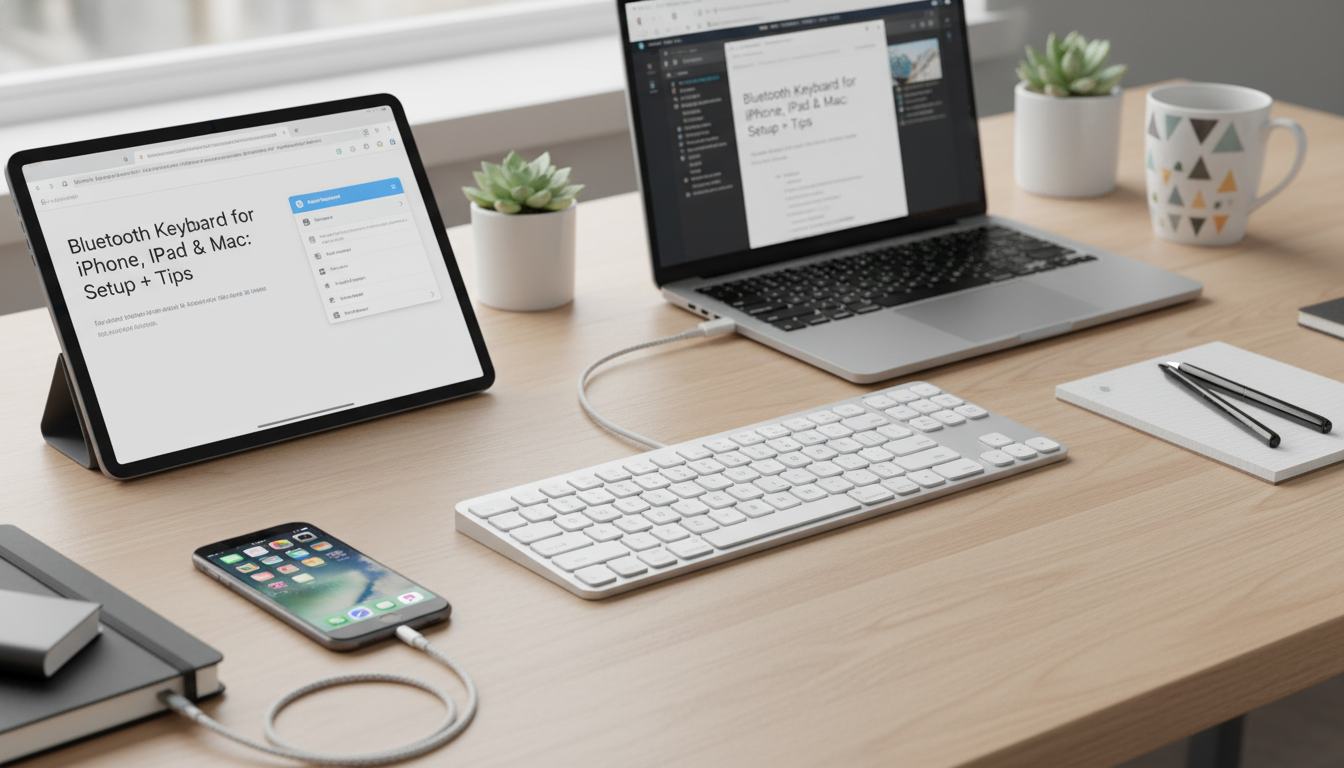
Wireless Bluetooth Keyboard for Apple Devices: Comfortable Typing Across iPhone, iPad, and Mac
A Bluetooth keyboard can turn an iPad into a lightweight productivity setup, make iPhone replies faster, and keep a Mac desk clean with fewer cables. The right model should feel natural under your fingers, reconnect reliably, and fit the way Apple users tend to move between devices. Below is a practical guide to what to look for, how pairing typically works on iPhone, iPad, and Mac, and how to keep your connection stable day to day.
What This Keyboard Adds to an Apple Setup
A wireless keyboard is a small change that can make Apple devices feel more “work-ready,” whether you’re drafting emails on a Mac, writing notes on an iPad, or responding to messages on an iPhone.
- Frees up desk space with a cable-free layout while keeping typing responsive for everyday work
- Useful for iPad note-taking, iPhone messaging, and Mac text-heavy tasks like email and documents
- Pairs over Bluetooth, reducing reliance on USB ports and hubs
- A portable option for travel, coffee shops, or switching between workspaces
Quick Compatibility Checklist (iPhone, iPad, Mac)
Most modern Bluetooth keyboards will connect to Apple devices, but the daily experience is best when your setup supports comfortable posture and quick reconnects.
- iPadOS: Works best with iPad multitasking—combine with a stand or case for laptop-like ergonomics
- iOS (iPhone): Great for longer messages and form-filling; consider screen size and viewing angle
- macOS: Suitable for a tidy desktop setup; can be used alongside a trackpad or mouse
- Bluetooth support: Ensure Bluetooth is enabled and discoverable on the Apple device before pairing
For Apple’s official steps, see Apple Support (iPhone/iPad Bluetooth) and Apple Support (Mac Bluetooth).
Features That Matter Day to Day
Key feel and layout
Comfort comes from consistent key spacing, a familiar layout, and a key shape that doesn’t force awkward finger angles. If you type for long stretches, prioritize a layout that feels “predictable” so your hands don’t have to relearn common shortcuts or punctuation placement.
Stability (Bluetooth connection)
Stable Bluetooth prevents missed keystrokes and frustrating lag. In busy wireless environments (apartments, offices, co-working spaces), reliability often matters more than any single extra feature.
Portability vs. desk comfort
Slim keyboards are easy to pack, but a bit of structure can feel better on a desk. If you move between locations, choose something that’s light enough to carry yet steady enough not to flex on a tabletop.
Battery and charging routine
A predictable battery life makes a keyboard feel dependable. Whether it uses replaceable batteries or a rechargeable design, the best routine is the one you’ll actually keep—top it off before travel days and avoid letting it sit at a critically low charge.
Noise level
Quieter keys are a practical win for shared spaces, late-night sessions, and video calls. Even if you like tactile feedback, loud bottoming-out can be distracting for everyone around you.
Device switching
If you bounce between iPad and Mac (or occasionally an iPhone), quick re-pairing or multi-device switching saves time. If your keyboard doesn’t support instant switching, it can still work well—you’ll just reconnect from Bluetooth settings on the device you want to use.
Setup and Pairing on Apple Devices
Pairing is typically quick, and once you’ve done it, reconnecting later is usually automatic as long as Bluetooth is on and the keyboard has power.
- iPhone/iPad: Open Settings → Bluetooth, turn Bluetooth on, then select the keyboard when it appears
- Mac: Open System Settings (or System Preferences) → Bluetooth, enable Bluetooth, and connect to the keyboard
- If prompted for a pairing code, type the code on the keyboard and press Enter/Return
- After pairing, keep the keyboard within typical Bluetooth range and avoid heavy interference (dense USB 3.0 hubs, crowded wireless areas)
Common Pairing Fixes
| Issue | What to Try |
|---|---|
| Keyboard not showing up | Toggle Bluetooth off/on, put the keyboard back in pairing mode, and move it closer to the device |
| Connects but typing lags | Charge the keyboard, reduce interference, and avoid placing it beside routers or USB 3.0 devices |
| Keeps disconnecting | Forget the device in Bluetooth settings and pair again; restart the Apple device if needed |
| Wrong characters or layout | Check the keyboard language/layout settings on iPadOS/iOS/macOS and select the correct layout |
Bluetooth behavior is standardized across devices, but real-world performance can vary with interference and power levels; for deeper technical background, reference the Bluetooth SIG specifications.
Comfort and Ergonomics Tips
Care, Cleaning, and Travel Use
Product Snapshot
Shop In-Stock Picks
- Wireless Bluetooth Keyboard for Apple Devices — a straightforward way to type comfortably across iPhone, iPad, and Mac without extra cables.
- Men’s Genuine Leather Cowboy Belt with Copper Buckle for Jeans — a durable everyday accessory that travels well between workdays and weekends.
- Large Dog Slicker Brush & Comb Set for Doodles, Poodles and Long Coats — a practical add-on for keeping grooming routines consistent at home or while traveling.
FAQ
Will a Bluetooth keyboard work with both an iPad and a Mac?
Yes—Bluetooth keyboards can pair with iPadOS and macOS. Some models support quick switching; otherwise, reconnect by selecting the keyboard in Bluetooth settings on the device you want to use.
Why is the keyboard connected but not typing on my iPad or iPhone?
Check the battery/charging status and confirm the keyboard is still the active input device. If it still won’t type, forget the keyboard in Bluetooth settings and pair again, then verify the correct keyboard layout is selected.
How can Bluetooth typing lag be reduced on Apple devices?
Keep the keyboard closer, charge it, and reduce interference by moving away from routers, crowded wireless areas, and certain USB 3.0 devices. If lag persists, re-pairing the keyboard often restores normal responsiveness.
















Leave a comment