AI-Tracking 3-Axis Phone Gimbal With Cooling Fan
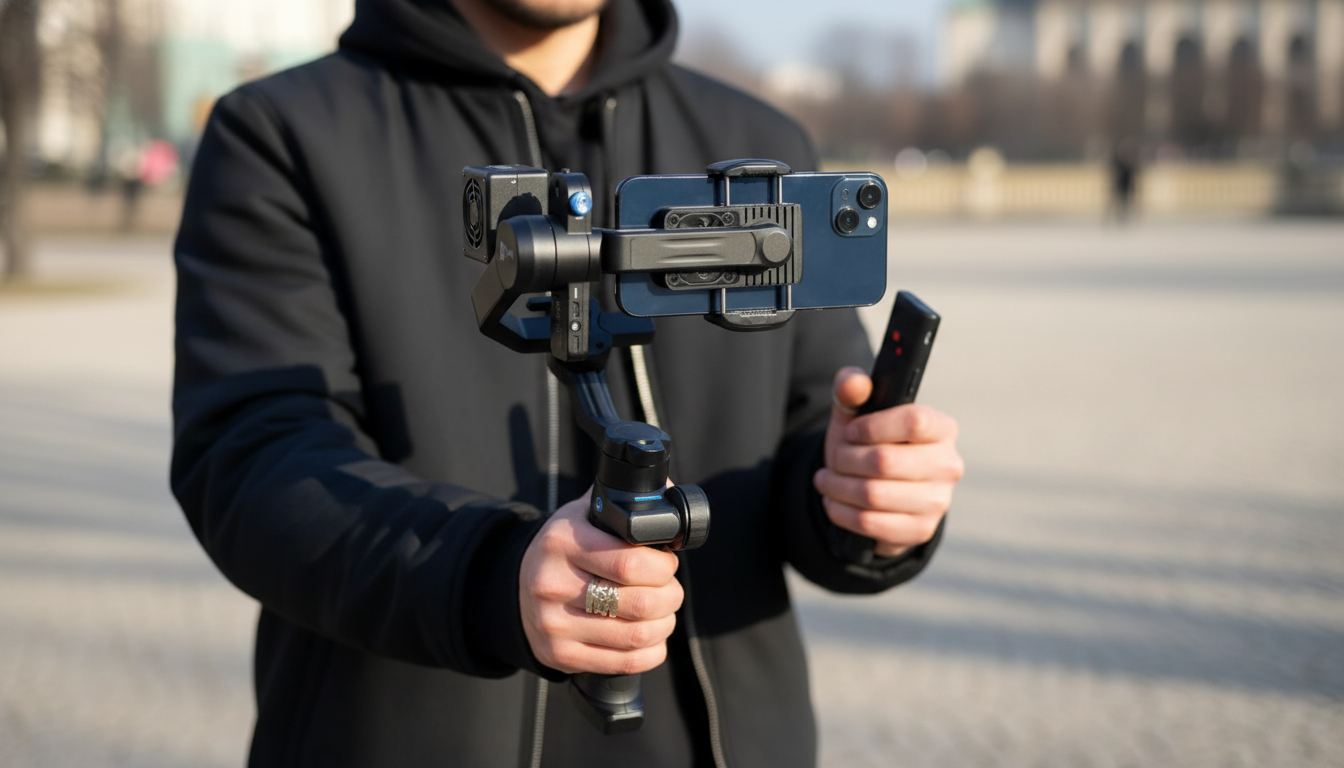
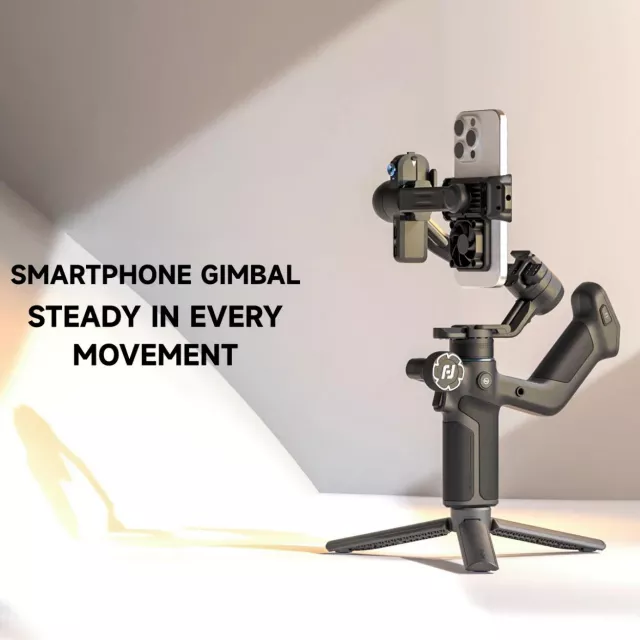
3-Axis Smartphone Gimbal Stabilizer with AI Tracking and Cooling Fan
Smooth handheld video usually comes down to two things: stable movement and consistent phone performance. A 3-axis gimbal helps eliminate jitters and unwanted tilt, AI tracking keeps the subject centered while moving, and an active cooling fan helps reduce heat-related slowdowns during long recording sessions, livestreams, and outdoor shoots. If filming is part of your work (or your daily routine), this combination can turn “almost usable” clips into footage that looks intentional—without needing a second person behind the camera.
What this stabilizer is built to do
A 3-axis smartphone gimbal is designed to actively counter the kinds of motion that make handheld video feel shaky: small wrist tremors, walking bounce, and quick direction changes. Instead of relying only on software smoothing, the motors continuously correct across three axes so pans stay cleaner and the horizon stays more level.
- Create fluid, steady footage while walking, panning, or filming action by actively correcting shake across three axes.
- Keep a face or moving subject framed using AI tracking for solo filming, tutorials, and dynamic shots.
- Support longer sessions by moving heat away from the phone with an integrated cooling fan—useful for high-brightness screens, 4K recording, and livestreaming.
- Improve consistency for creators who frequently switch between tripod shots, handheld movement, and quick follow shots.
Key features that change the filming experience
3-axis stabilization for walking shots and clean pans
Phone stabilization (OIS/EIS) can help, but a gimbal handles bigger movement—especially walking, fast pivots, and longer pans—without introducing the “floaty” look or heavy cropping that can happen with software stabilization. Apple provides a helpful overview of how optical stabilization works on iPhone hardware, which can be useful context when comparing what a gimbal adds on top: Apple Support: Optical Image Stabilization.
AI tracking that keeps the subject centered
AI tracking is most noticeable when you’re filming alone and can’t monitor framing constantly. If the subject steps forward, leans to the side, or crosses the frame, the gimbal can adjust to keep them in view—reducing retakes and the need to “crop and fix it later.”
Cooling fan support for longer, steadier sessions
Recording high-resolution video, using a bright screen outdoors, sustaining autofocus, streaming over cellular data, and charging while filming all generate heat. Many phones respond by dimming the display, dropping performance, or throttling to protect components. Android’s developer documentation explains thermal throttling behavior and why devices scale performance under heat load: Android Developers: Thermal throttling overview.
Ergonomic handheld control and faster orientation changes
One-handed controls matter when you’re moving through a scene or switching angles quickly. Quick transitions between horizontal and vertical compositions also make it easier to capture standard video and short-form clips without stopping to rebuild your setup.
When AI tracking matters most
- Talking-head videos: Maintain centered framing while stepping to a whiteboard or moving around a room.
- Fitness and dance: Follow motion during routines without a second camera operator.
- Product demos: Keep hands and the item in-frame while rotating and repositioning.
- Livestreaming: Reduce the need to manually reframe while interacting with chat or moving through a space.
- Family and events: Track kids or pets for more usable clips with fewer missed moments.
Why a cooling fan can make long sessions easier
Phone heat isn’t just a comfort issue; it can impact recording stability. When a device gets hot, it may dim the screen (harder to monitor focus), drop frames, or reduce processing speed—especially during extended 4K capture or long livestreams.
- Phone heat can increase with high-resolution capture, sustained autofocus, bright screens, cellular data, and charging while recording.
- Cooling can help maintain more consistent performance during extended recordings and livestreams, especially in warm environments.
- More stable performance often means fewer interruptions (thermal warnings), fewer sudden quality shifts, and steadier frame pacing.
- Best practices: Avoid direct sun on the phone, keep vents unobstructed, and reduce screen brightness when possible for maximum runtime.
Recommended setups for common shooting scenarios
Quick shot guide (goal → setup → tip)
| Goal | Suggested setup | Practical tip |
|---|---|---|
| Solo tutorial with movement | AI tracking + slow follow | Mark a small area to move within for consistent focus and framing |
| Walking vlog outdoors | Standard follow + cooling fan on | Keep the phone shaded when possible to reduce heat load |
| Product close-up demo | Locked horizon + gentle pan | Move the gimbal, not the wrists, for smoother micro-motions |
| Livestream while roaming | AI tracking + moderate follow | Test connectivity and heat before going live for 10+ minutes |
| Short-form vertical clips | Vertical orientation + AI tracking | Leave a little headroom to avoid cropping during stabilization corrections |
What to check before buying and before the first shoot
Care, storage, and safe operation
In-stock picks
- 3-Axis Smartphone Gimbal Stabilizer with AI Tracking and Cooling Fan
- Men’s Genuine Leather Cowboy Belt with Copper Buckle for Jeans
- Large Dog Slicker Brush & Comb Set for Doodles, Poodles and Long Coats
FAQ
Does AI tracking work if the subject turns sideways or walks out of frame?
Tracking usually handles partial profile changes and moderate movement, but it may lose the subject if they fully exit the frame, lighting drops too low, or contrast is weak. Re-center the subject and keep lighting consistent to help tracking re-acquire quickly.
Will the cooling fan affect audio quality while recording?
It can, especially with built-in phone mics in quiet rooms. For dialogue, use an external mic (lav or small shotgun) or position the phone so the mic isn’t pointed into the airflow.
Is a 3-axis gimbal still useful if the phone already has optical or electronic stabilization?
Yes—phone stabilization helps reduce small shakes, but it can crop the image and struggle with larger movement like walking and longer pans. A gimbal physically stabilizes motion and helps keep the horizon level for a cleaner, more cinematic look.














Leave a comment