10W Qi Wireless Charger Stand: Fast, Tidy Desk Setup
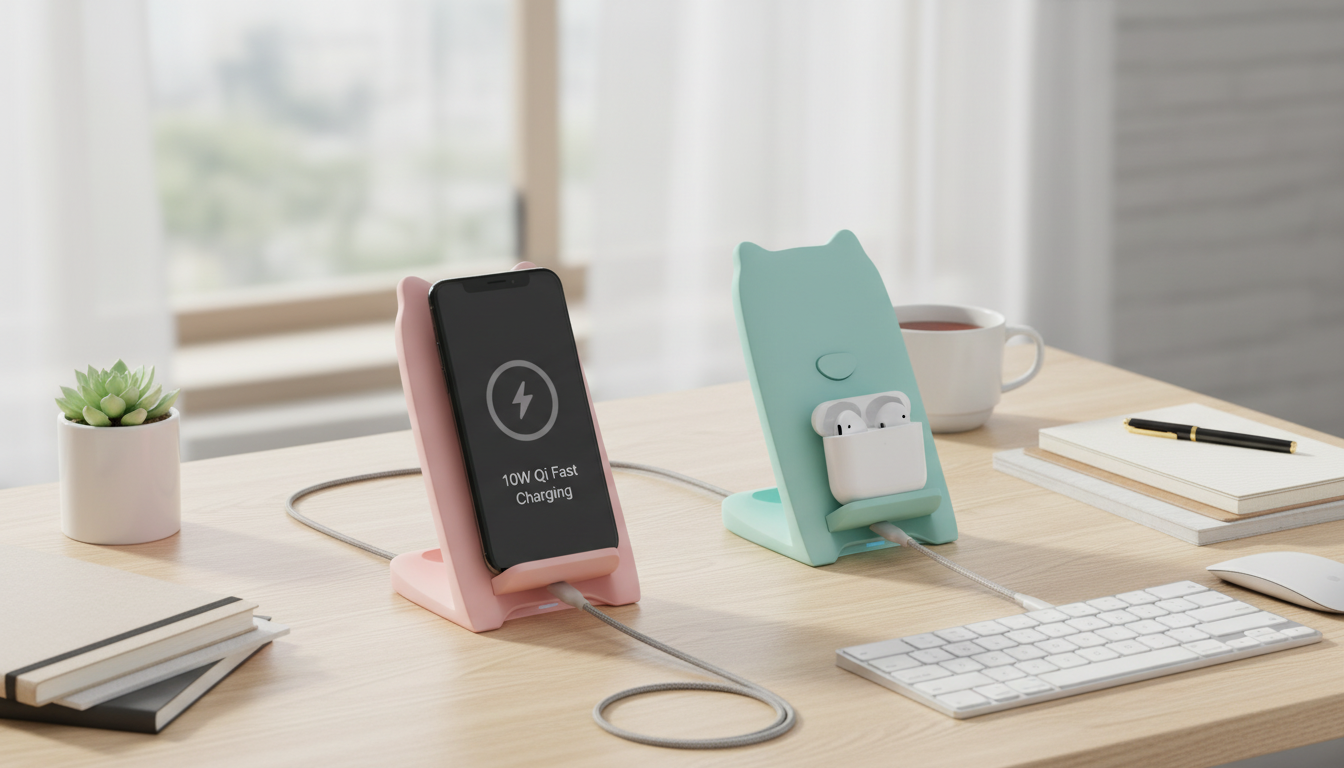
10W Qi Wireless Charger Stand for iPhone and Qi-Enabled Devices
A wireless charging stand makes daily charging simpler: set the phone down, glance at notifications, and keep your desk or nightstand tidy. This 10W Qi charger stand is designed to charge compatible iPhone and other Qi-enabled devices in an upright cradle, with a stable base and an angle that works well for Face ID, video calls, and bedside clock use. Actual charging speed depends on the phone model, power adapter, and case thickness, but the stand format is built for convenient, repeatable placement.
What This Charger Stand Is Best For
- Desk charging that keeps the screen visible for messages, timers, and calls without picking the phone up repeatedly
- Nightstand charging with a consistent placement spot—less fumbling for a cable in the dark
- Shared spaces (office, kitchen counter) where multiple Qi devices may need top-ups throughout the day
- Reducing connector wear by limiting repeated plug/unplug cycles on the phone port
- Charging while streaming audio or video—upright viewing keeps the speaker and mic unobstructed
Charging Performance and What “Fast” Depends On
Wireless charging is convenient, but “fast” depends on a few moving parts working together. Qi charging speed is affected by the wall adapter’s output, the charger stand’s maximum wattage, and the phone’s supported wireless input. In practice, a 10W stand can only deliver its best results when it’s paired with a capable power source and your device is positioned correctly.
- Qi wireless charging speed is affected by the wall adapter’s output, the charging pad’s maximum wattage, and the phone’s supported wireless input
- A 10W wireless stand typically reaches best performance with a compatible QC/PD-capable wall adapter (often not included); basic 5W adapters can slow charging
- Thick cases, metal plates, and magnetic accessories can reduce efficiency or prevent charging; aligning the phone to the coil area is key
- Wireless charging can create more warmth than wired charging; mild warmth is normal, but excessive heat usually indicates misalignment, poor ventilation, or an incompatible case
- If the phone charges slowly, the most common fixes are upgrading the wall adapter, using a higher-quality cable to the stand, and removing bulky cases
For background on the standard itself, the Wireless Power Consortium (Qi Standard) provides reference information on Qi certification and how the ecosystem works. For iPhone-specific behavior, Apple Support: About wireless charging outlines what to expect with compatible chargers.
Compatibility at a Glance
- Works with Qi-enabled smartphones (including many iPhone and Android models) and Qi-compatible accessories that support standard wireless charging
- Some phones limit wireless charging wattage by design; the stand can supply up to its rated maximum, but the device controls how much it accepts
- Cases that are thin and non-metal (TPU/silicone) generally work well; wallet cases and pop sockets can interfere with placement
- For best results, place the phone centered and flush to the stand’s charging surface to keep the charging coil aligned
Typical Wireless Charging Expectations (Varies by Device and Adapter)
| Device type | Likely outcome on a 10W stand | Notes |
|---|---|---|
| Qi-enabled iPhone models | Wireless charging with device-managed speed | iPhone models typically regulate wireless wattage; using a strong wall adapter can improve stability, but the phone sets the limit |
| Qi-enabled Android phones | Often faster wireless charging where supported | Some Android models accept higher wireless input when paired with a suitable adapter; check the phone’s wireless charging spec |
| Qi earbuds case (if Qi-compatible) | Convenient top-ups | Smaller items can be placement-sensitive; align carefully or lay flat if the case doesn’t sit securely on the stand |
| Phones with thick rugged cases | Possible slow/unstable charging | Remove or swap to a slimmer case if charging starts/stops or the phone warms excessively |
Setup Tips for Reliable Charging
- Use a reputable wall adapter with sufficient output (often 18W+ is a good baseline) and a quality cable between the adapter and the stand
- Place the stand on a hard, open surface to help heat dissipate; avoid bedding or soft materials that trap warmth
- Center the phone on the stand; if charging doesn’t start, adjust height/position slightly until the charging indicator appears
- Keep the charging surface clean and dry; dust or debris can create a gap that reduces efficiency
- If the phone uses a camera bump and doesn’t sit flush, try a thinner case or a different placement angle to maintain contact
Safety and Device Care
Stand vs. Flat Pad vs. Cable: Choosing the Right Style
Common Issues and Quick Fixes
In-Stock Picks
- 10W Qi Wireless Charger Stand Fast Charging for Apple iPhone and Devices
- Twin Size Upholstered Bed with LED Lights and Crown Headboard
- Men’s Genuine Leather Cowboy Belt with Copper Buckle for Jeans
FAQ
Does a 10W wireless charger stand fast-charge an iPhone?
It can support up to 10W output, but iPhone wireless charging speed is managed by the phone itself and may be lower than 10W. Using a higher-quality wall adapter can improve charging stability, but the iPhone ultimately sets the wireless charging limit.
Can a phone charge through a case on a Qi stand?
Many thin, non-metal cases (like TPU or silicone) work fine with Qi charging. Thick rugged cases, wallet cases, metal plates, and magnetic accessories can interfere, so removing them often restores normal charging.
Why does wireless charging stop when I slightly move the phone?
Stands are sensitive to coil alignment, and a small shift can move the phone off the optimal charging area. Re-center the device, remove bulky attachments, and use a stronger adapter and a reliable cable to help maintain consistent power.
















Leave a comment