Luminous Wired Gaming Mouse: 3600 DPI, 7 Buttons, RGB
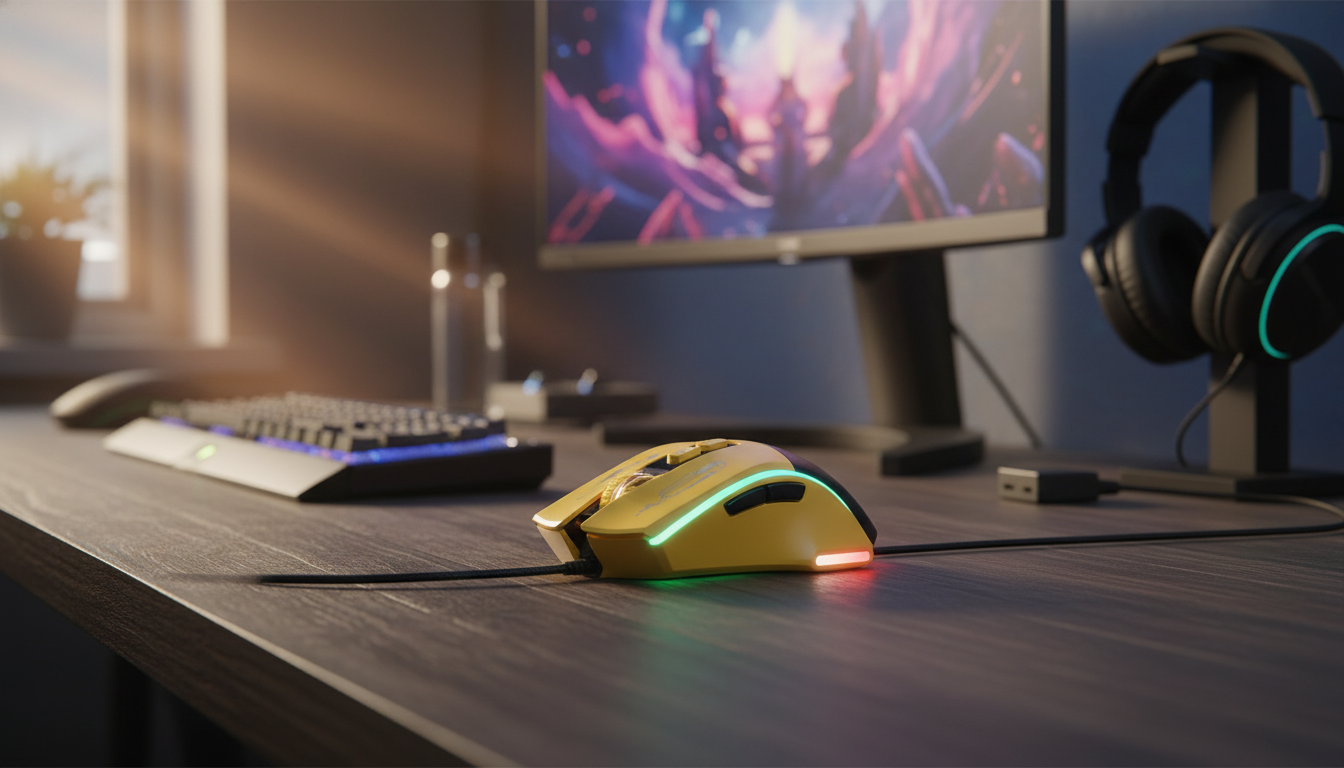
Luminous Gaming Wired Mouse 3600DPI Ergonomic 7-Button RGB PC Mouse
A wired gaming mouse can be one of the simplest upgrades for smoother aiming, faster inputs, and a cleaner desk routine. The Luminous Gaming Wired Mouse 3600DPI Ergonomic 7-Button RGB PC Mouse pairs adjustable sensitivity up to 3600 DPI with an ergonomic, right-hand-friendly shape, seven buttons for quick commands, and RGB lighting that adds personality without complicating your setup. Whether you’re dialing in steady tracking for shooters or moving quickly across a multi-monitor workspace, a dependable wired connection keeps the experience consistent—no pairing steps, no charging schedule.
What Stands Out at a Glance
- Adjustable sensitivity up to 3600 DPI for switching between quick turns and precise tracking
- Ergonomic right-hand-friendly shape aimed at reducing grip fatigue during longer sessions
- Seven-button layout for faster in-game actions and productivity shortcuts
- Wired connection for consistent input and no battery management
- RGB lighting adds visual feedback and matches common PC setup themes
Core Performance: DPI and Control
DPI (dots per inch) influences how far your cursor moves on-screen for a given physical movement of the mouse. With a 3600 DPI ceiling, this mouse gives you room to tune your feel: stay lower for stability and precision, or push higher for quick camera movement and fast desktop navigation. If you’d like a deeper definition of DPI and how it’s measured, see Wikipedia’s overview of DPI.
One practical approach is to treat DPI as your “base gear” and your in-game sensitivity as the fine adjustment. That pairing helps keep muscle memory consistent as you move between game genres and everyday tasks. For example, many FPS players prefer lower-to-mid DPI ranges for micro-corrections, while strategy games and general computing can feel more responsive with higher DPI.
Practical DPI Starting Points
| Use case | Suggested DPI range | Why it helps |
|---|---|---|
| FPS aiming and tracking | 800–1600 | More precise crosshair control and micro-adjustments |
| MOBA/RTS and general gaming | 1200–2400 | Fast cursor movement without feeling overly twitchy |
| Everyday desktop and multi-monitor | 1600–3600 | Quicker navigation with less hand travel |
A wired connection can also be a quiet performance win. With no wireless interference variables and no battery-saving behaviors, the mouse stays ready for rapid flicks and continuous tracking, session after session.
Ergonomic Shape and Grip Comfort
Comfort matters as much as speed, especially during longer gaming blocks or workdays that involve constant pointer movement. The contoured shape is designed to support a more natural hand position, which can help reduce strain and grip fatigue over time. For best results, aim for a neutral wrist posture and let your forearm handle larger sweeps, saving the wrist for fine adjustments.
Grip style and hand size still play a role. The curved back typically favors palm grip and a relaxed claw grip, where the hand has more surface contact and pressure is spread more evenly. If you tend to use fingertip grip, you may prefer keeping DPI slightly higher so you can make smaller movements without overworking your fingers.
Desk setup also affects comfort: keep the mouse close to the keyboard so your shoulder isn’t reaching outward, and adjust chair height so your forearm is roughly level with the desk. For general ergonomic guidance on pointing devices, OSHA’s workstation resources are a useful reference: OSHA Computer Workstations eTool.
Seven Buttons: Faster Actions and Shortcuts
Seven buttons open up quicker reactions and smoother workflows. In games, extra buttons are often used for push-to-talk, reload, melee, weapon swap, inventory, or ability triggers. The goal is simple: reduce finger travel so critical actions happen faster and feel more natural.
Outside gaming, the side buttons can be handy for everyday productivity—browser back/forward, copy/paste, tab switching, or app-specific shortcuts where supported. To avoid misclicks, put your highest-frequency actions on the easiest-to-reach buttons, and reserve less-used commands for secondary spots.
If a game or competitive ruleset restricts macros, mapping these buttons to single keypress functions usually keeps things compatible while still giving you the convenience of better placement.
RGB Lighting: Setup and Practical Benefits
Compatibility and Daily Use
To keep tracking reliable, pair it with a consistent mouse pad surface. Irregular desk textures can introduce jitter or uneven glide, especially when making small aiming corrections. You can also fine-tune pointer speed and related settings at the operating system level; Microsoft provides a clear walkthrough here: Change mouse settings in Windows.
Quick Specs and What They Mean
Specification Snapshot
| Feature | Value | What it impacts |
|---|---|---|
| Max sensitivity | 3600 DPI | Cursor speed and fine aiming control |
| Button count | 7 | More binds for games and shortcuts |
| Connection | Wired | Stable use, no battery concerns |
| Lighting | RGB | Style and optional DPI/feedback cues |
Who This Mouse Fits Best
Pair It with a Coordinated Setup
If you’re building a cohesive gaming space, you can keep the same “lit, modern” look across your room. For example, the Twin Size Upholstered Bed with LED Lights and Crown Headboard can match the RGB-forward vibe of a PC setup—especially helpful for creating a consistent aesthetic in a bedroom gaming station.
FAQ
Is 3600 DPI enough for gaming?
Yes. Many players run 800–1600 DPI for FPS titles, and 3600 DPI gives extra headroom for faster cursor movement, multi-monitor setups, and personal preference when balanced with in-game sensitivity.
What are the seven buttons typically used for?
Common uses include back/forward, push-to-talk, weapon swap, abilities, reload, and productivity shortcuts like copy/paste. Exact assignments depend on the game and any driver/software support available.
Does a wired mouse reduce input delay compared to wireless?
Many modern wireless mice perform extremely well, but wired avoids battery management and potential interference. The main benefit is consistent, always-ready performance with a simple plug-and-play setup.
















Leave a comment