1080P Dual-Camera Baby Monitor: PTZ, Split Screen & Alerts
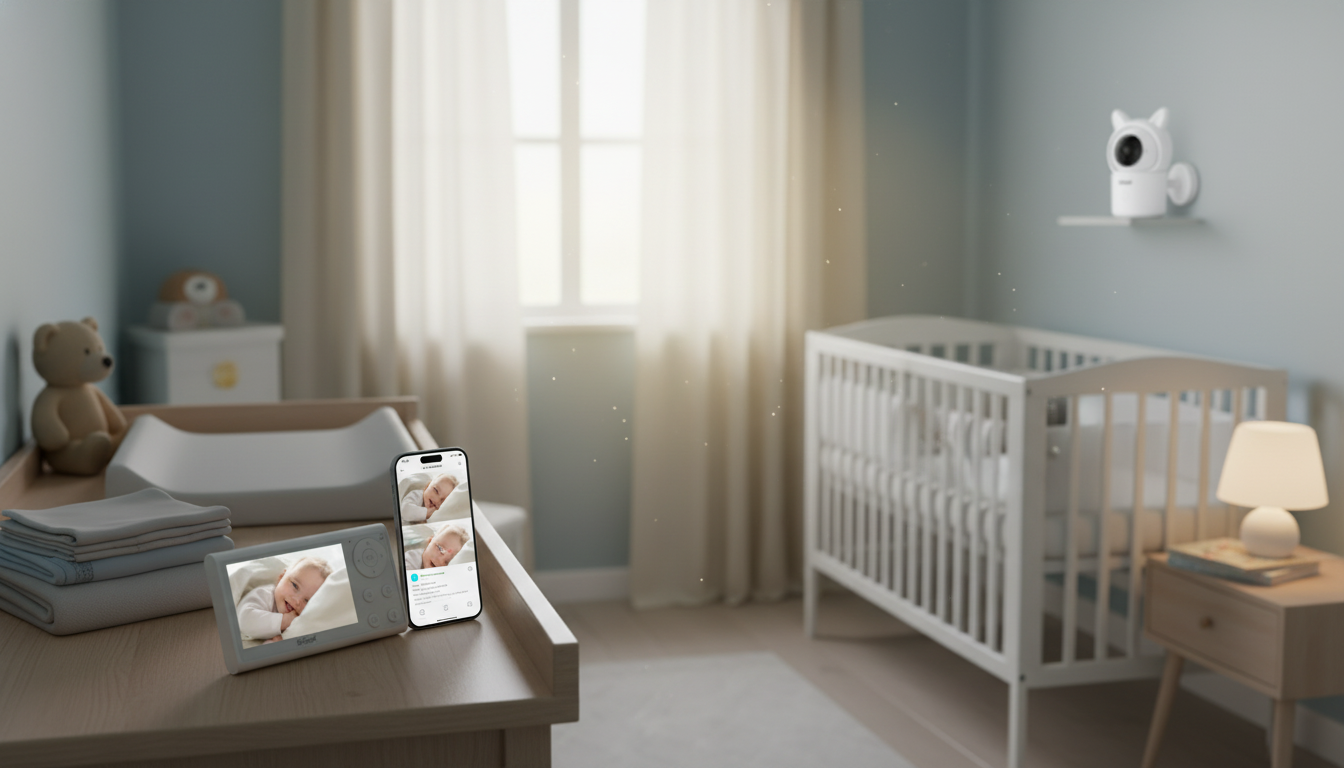
1080P Dual-Camera Baby Monitor with PTZ, Split Screen & Smart Alerts: What It Changes Day to Day
Keeping an eye on one child is hard enough—two rooms or two angles can feel impossible during naps, bedtime, and early-morning wakeups. A dual-camera monitor with pan/tilt/zoom (PTZ), split-screen viewing, and smart alerts helps track movement and sound without constantly checking in and risking wake-ups. Instead of moving a single camera from room to room (or guessing what you’ll see when you switch feeds), you get a setup built for real-life routines: overlapping schedules, quick quiet-time chores, and the occasional “why is it suddenly silent?” moment.
What a dual-camera PTZ monitor adds to daily routines
Two-camera monitoring is less about fancy extras and more about reducing friction. When the gear is simple to use, you actually use it the way you intended—especially when you’re tired.
- Two cameras, fewer resets: Two cameras reduce the need to move a single unit between rooms for naps, bedtime, or siblings with different sleep schedules.
- PTZ keeps up with milestones: PTZ control helps reframe the view as a baby starts rolling, sitting, or sleeping in a different part of the crib.
- Split screen = faster reassurance: Split-screen viewing supports quick checks without toggling between camera feeds and pressing extra buttons.
- Alerts when something changes: Smart alerts can notify for sound, motion, or other detected activity so attention is focused when it matters.
Key features to look for (and why they matter at 2 a.m.)
On paper, many monitors look similar. At night, the differences show up immediately—clarity, stability, and how quickly you can confirm what’s happening without turning on lights or walking down the hall.
- 1080P video clarity: Helps distinguish small movements, blanket edges, and whether eyes are open without guessing.
- Infrared night vision: Maintains visibility without turning on lights that may disrupt sleep.
- PTZ range and responsiveness: Smooth panning/tilting makes it easier to re-center the crib quickly.
- Split-screen layout options: Confirm whether it supports true simultaneous display or only quick switching.
- Two-way audio: Useful for soothing with a familiar voice before entering the room.
- Range and connection stability: Fewer dropouts matter more than extra features during overnight monitoring.
- Battery life on the parent unit (if applicable): Longer runtime reduces charging anxiety during long nights.
- Smart alerts and sensitivity controls: Adjustable thresholds help reduce false alarms from fans, pets, or shifting light.
Feature checklist for a dual-camera split-screen monitor
| Feature | What to verify | Why it helps |
|---|---|---|
| Dual cameras included | Two camera units in the box; pairing support for both | Covers two rooms or two angles without moving hardware |
| PTZ controls | Remote pan/tilt plus digital or optical zoom | Reframe as baby moves; check corners of the crib |
| Split-screen viewing | Simultaneous two-feed display and easy full-screen toggle | Faster checks with fewer button presses |
| Smart alerts | Motion/sound alerts with sensitivity settings | Reduces constant watching; flags meaningful changes |
| Night vision | Infrared night mode and usable clarity in darkness | Visibility without lights or room disruption |
| Two-way talk | Clear mic/speaker on both ends | Soothing without entering the room immediately |
| Secure connection | Encrypted link and stable pairing process | Protects privacy and improves reliability |
Using split screen effectively: two rooms, one glance
Split screen is most helpful when it becomes predictable—same placement, same left/right assignment, and a quick habit for when to zoom in.
- Frame wide first, fine-tune later: Place each camera to capture the full sleep area, then use PTZ to fine-tune framing once the baby is down.
- Keep left/right consistent: Assign cameras consistently (for example, left side = nursery, right side = playroom) to reduce confusion when tired.
- Split screen for status, full screen for details: Use split screen for baseline monitoring and switch to full screen for details like subtle motion or pacifier placement.
- Adjust per room: Tune alert sensitivity separately if one room has more background noise (white noise machine, humidifier, street sounds).
Camera placement and safety basics
For current safe sleep guidance, review the American Academy of Pediatrics (AAP) safe sleep recommendations and the CPSC crib safety and safe sleep information.
Making smart alerts actually helpful (not noisy)
Product spotlight: 1080P Dual-Camera Baby Monitor with PTZ, Split Screen & Smart Alerts
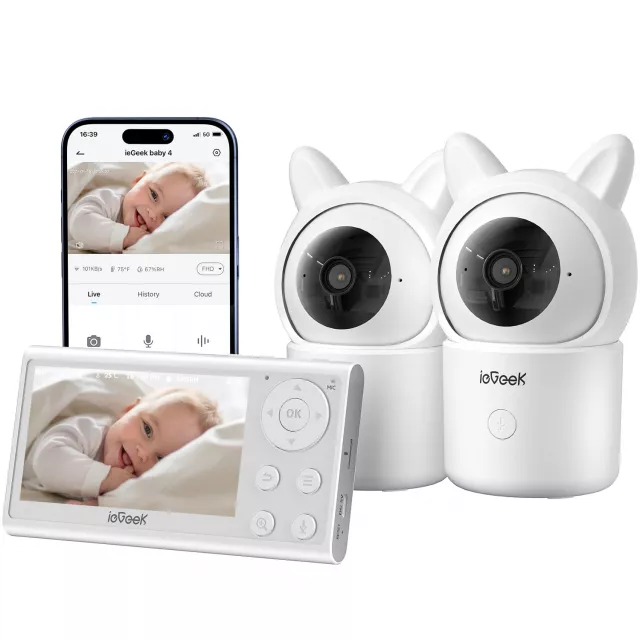
When two cameras are part of everyday life—not an occasional add-on—choosing a monitor designed for split-screen use keeps the experience straightforward. The 1080P Dual-Camera Baby Monitor with PTZ, Split Screen & Smart Alerts is built for two-camera monitoring with quick split-screen checks, clearer 1080P viewing, and PTZ control for re-centering as sleep positions change. Smart alerts add hands-free awareness during chores, work-from-home blocks, or overnight rest windows.
A related room upgrade for growing kids
For families transitioning a toddler to a bigger sleep setup, the Twin Size Upholstered Bed with LED Lights and Crown Headboard can help refresh a child’s room while keeping bedtime routines feeling “special” (which can be surprisingly helpful during transitions).
FAQ
Can split screen show both cameras at the same time?
Split-screen usually means both camera feeds display simultaneously on one screen, but some monitors use quick switching instead. Confirm it supports true two-feed display and an easy full-screen toggle when you need a closer look.
How far should a baby monitor camera be from the crib?
Use a stable mount or surface that gives a wide view of the sleep area, and keep cords well out of reach. Rather than relying on one exact distance, prioritize a secure setup, clear coverage of the mattress area, and cord safety.
How can smart alerts be adjusted to reduce false alarms?
Lower sensitivity after observing a night or two, and adjust sound versus motion thresholds separately when possible. If a fan, curtain, or pet triggers alerts, reposition the camera away from movement and retest before increasing sensitivity again.















Leave a comment