2-Piece Keyboard & Mouse Wrist Rest Set for Desk Comfort
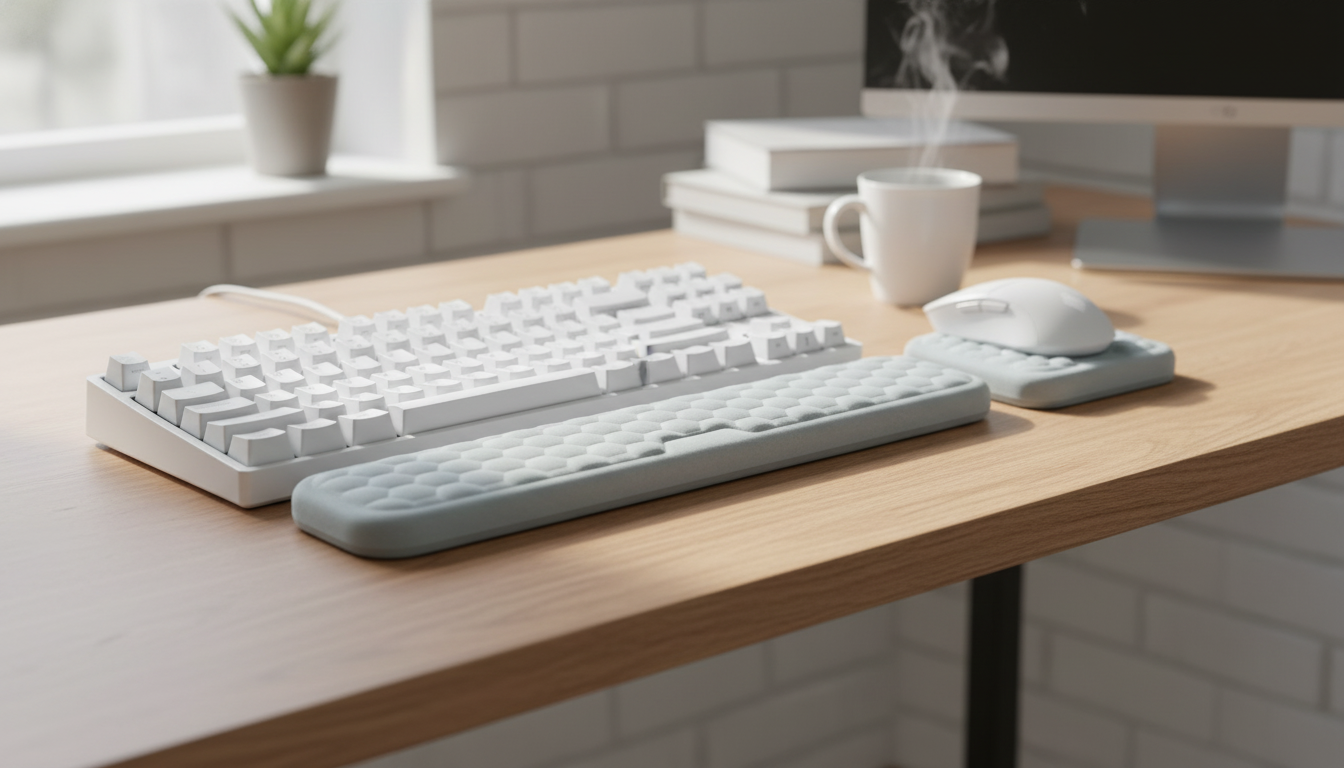
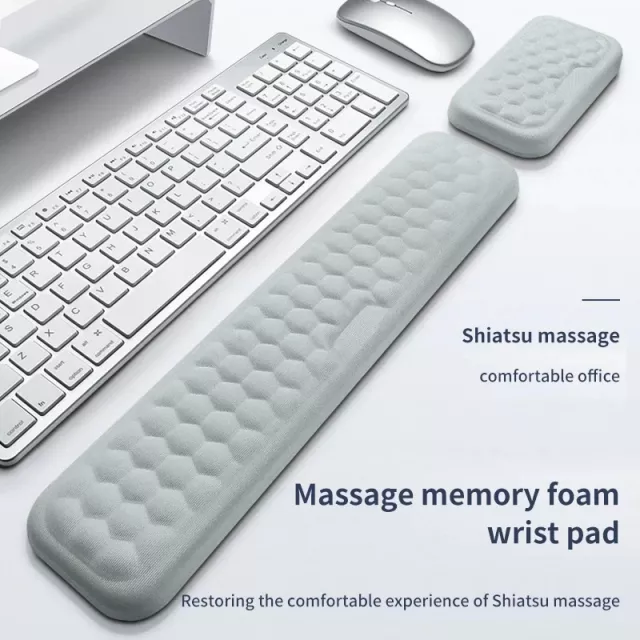
Comfort Support for Daily Desk Work: 2Pcs Ergonomic Mouse & Keyboard Wrist Rest Set
Long hours at a desk can put steady pressure on wrists and forearms, especially during repeated mouse use and continuous typing. A dedicated wrist rest set helps create a smoother, more supported contact point, encouraging a more neutral wrist position and reducing fatigue during everyday computer tasks. For many setups, the simplest upgrade is also the most noticeable: adding soft, stable support right where your hands meet the desk edge.
What’s Included and How It Fits on a Desk
A two-piece wrist rest set is designed to support both primary hand zones: the keyboard area and the mouse area. That matters because desk discomfort doesn’t always show up in the same place every day—some days it’s the mousing hand from constant clicking and tracking, and other days it’s both hands from typing-heavy work.
- Two-piece set designed for both keyboard and mouse use.
- Keyboard wrist rest typically sits along the front edge of the keyboard to support the base of the palms during pauses.
- Mouse wrist rest sits just in front of the mouse area to reduce contact pressure during clicking and tracking.
- Works well for home offices, study desks, gaming setups, and shared workstations.
To keep the layout feeling natural, aim for a straight “flow” from forearm to hand. The rests should meet your hands where they naturally settle—not force your elbows to flare out or your shoulders to creep upward.
Why Wrist Support Can Improve Comfort
Desk edges and hard surfaces can create pressure points, especially when your hands hover near the same spot for hours. Wrist rests can make that contact gentler and more consistent, which may help your hands feel less “worked” by the end of the day.
- Helps limit wrist extension by providing a consistent resting height at the desk edge.
- Reduces friction and pressure points from hard desk surfaces.
- Encourages micro-breaks by giving hands a comfortable place to relax between bursts of typing or mousing.
- Pairs well with posture habits: relaxed shoulders, elbows near the body, and forearms roughly parallel to the floor.
For broader workstation guidance, OSHA’s computer workstation recommendations are a practical reference, especially for chair height, elbow angle, and monitor placement (OSHA — Computer Workstations eTool). You can also review general ergonomics and musculoskeletal disorder prevention basics from NIOSH (NIOSH — Ergonomics and Musculoskeletal Disorders).
Materials and Feel: What to Look for
Wrist rests look simple, but the “feel” determines whether they disappear into your routine—or become something you keep adjusting. A good set balances glide, grip, and cushioning so your hands can relax without feeling stuck.
- Surface feel should be smooth enough to avoid rubbing while still providing grip for stable hand placement.
- Padding should compress slightly under the palm base without collapsing completely.
- A non-slip underside helps keep the rests from drifting during fast mouse movements or frequent typing.
- Easy-clean materials help for shared desks, food/drink nearby, or long daily use.
If you notice your wrists sinking too far, that’s a signal the padding may be too soft for your desk height and typing style. If you feel like you’re perched on top of the rest with no give, the cushioning may be too firm or too tall.
Quick Setup Guide for Better Alignment
Small placement changes can make a wrist rest feel dramatically better. The goal is support during pauses and transitions—without encouraging you to “plant” your wrists with constant pressure while actively typing.
- Place the keyboard rest directly in front of the keyboard, not under the wrists while actively typing; rest palms during pauses to avoid sustained pressure.
- Position the mouse rest so the heel of the hand is supported while the mouse remains fully movable.
- Adjust chair height so elbows are near 90 degrees and wrists stay as straight as possible.
- If the desk is high, consider lowering the chair and using a footrest to keep feet supported.
A quick self-check: when your hands return to the rests, you should feel supported at the base of the palms—not compressed at the wrist joint. If you feel pressure directly on the wrist crease, shift the rest slightly forward or adjust your seat height.
Comparison Snapshot: Wrist Rest Set vs. Common Alternatives
Not all desk comfort upgrades solve the same problem. A two-piece set is targeted support for both typing and mousing, while other options may focus more on surface protection or only one hand position.
| Option | Best for | Trade-offs |
|---|---|---|
| 2-piece wrist rest set (keyboard + mouse) | All-day mixed typing and mousing | Needs a bit of desk space in front of keyboard and mouse |
| Keyboard-only wrist rest | Primarily typing tasks | Mouse-hand still contacts the desk edge |
| Large desk mat | Surface protection and smooth glide | May not add enough cushioning at the wrist/palm base |
| No support | Minimalist setups | More direct pressure from desk edge during long sessions |
Care, Cleaning, and Long-Term Use
In-Stock Picks
- 2Pcs Ergonomic Mouse & Keyboard Wrist Rest Set ($17.51)
- Men’s Genuine Leather Cowboy Belt with Copper Buckle for Jeans ($72.51)
FAQ
Should wrists rest on a pad while typing?
Use the rest mainly to support the base of your palms during pauses, not to keep your wrists planted while actively typing. Aim to keep wrists as neutral (straight) as possible and type with a light touch.
How do you position a mouse wrist rest correctly?
Place it so the heel of your hand is supported while the mouse can still move freely in all directions. Avoid pressing directly on the wrist joint and adjust position until your wrist stays comfortably straight.
Do wrist rests help with wrist pain?
They can reduce contact pressure and improve comfort for some people, but results vary depending on setup and habits. If pain, tingling, or numbness persists, combine adjustments with breaks and consider consulting a qualified clinician.















Leave a comment