Captain72 Rapid Trigger Magnetic Keyboard: 72-Key RGB
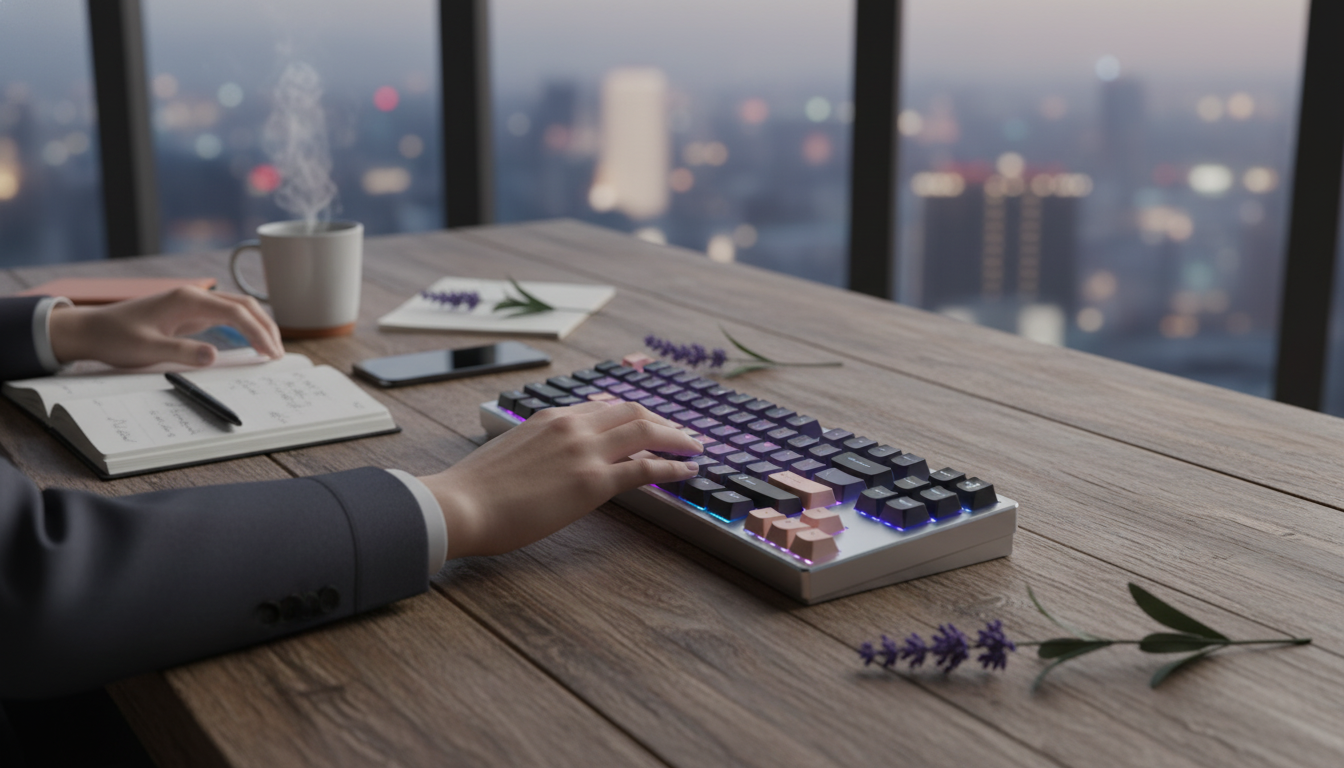
Captain72 Rapid Trigger Magnetic Switch Mechanical Keyboard with RGB: Speed, Control, and Clean Lighting
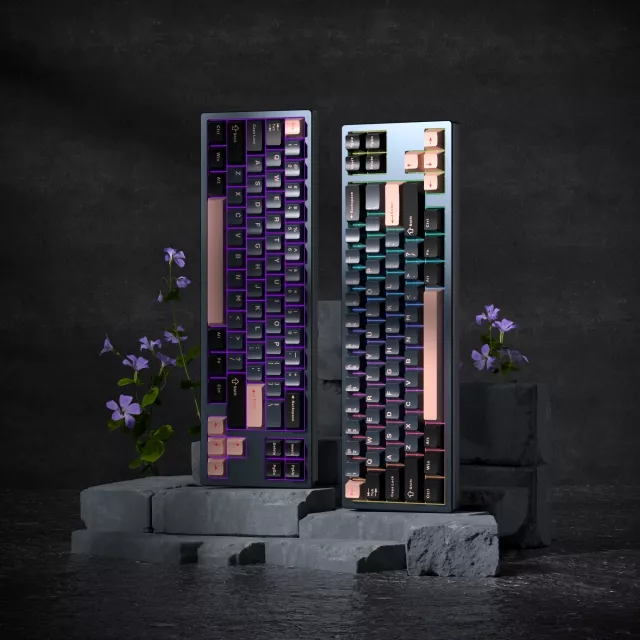
Captain72 is a compact, performance-focused keyboard built around magnetic switch sensing and rapid trigger-style behavior for faster key resets. The result is a board that feels tuned for quick corrections, repeated taps, and consistent control—especially in competitive genres where movement timing matters. With per-key RGB and a smaller 72-key footprint, it also fits neatly into tighter desk setups while keeping lighting customization front and center.
If you’re shopping for a magnetic switch keyboard that prioritizes responsiveness without giving up a polished RGB look, the Captain72 Rapid Trigger Magnetic Switch Mechanical Keyboard with RGB is positioned as an accessible entry point for players and power users who want speed, control, and a cleaner desktop layout.
What Makes Captain72 Different
Most mechanical keyboards rely on physical contacts and fixed actuation/reset behavior defined by the switch design. Captain72’s magnetic switch sensing changes that equation by using sensor-based input to detect movement, enabling rapid trigger-style resetting and (on many magnetic implementations) the potential for adjustability.
- Magnetic sensing can enable quicker re-press behavior by allowing the key to reset with less travel than traditional fixed reset points.
- 72-key compact layout trims width for more mouse room while keeping core keys close.
- Per-key RGB supports both aesthetics and functional setups like color-coded layers.
- Competitive-friendly behavior helps in scenarios that involve strafing, tapping, and frequent micro-corrections.
For users who care about the “feel” of control, it’s also worth understanding basic keyboard input standards at a high level (for example, how keys are represented over USB HID). The USB HID Usage Tables are a useful reference for how keyboards communicate key events to a system.
Rapid Trigger and Magnetic Switch Behavior (Practical Benefits)
Rapid trigger-style behavior is about what happens between presses—specifically, how quickly a key can deactivate and be ready to activate again. With traditional switches, a key typically has a fixed actuation point and a separate fixed reset point. Magnetic sensing can allow the reset behavior to happen closer to the actuation, enabling faster re-triggering when you’re “feathering” a key.
- Faster re-triggering: less movement needed to reset can make rapid taps feel more immediate.
- Cleaner stop-start movement: helpful for quick counter-strafes and precise movement timing in FPS titles.
- Rhythm and timing: responsive reset behavior can support consistent tapping patterns in games that reward precision.
- Beyond gaming: repetitive shortcuts, timeline scrubbing, and fast navigation can benefit from quicker re-presses.
Rapid Trigger vs. Traditional Mechanical Switches
| Feature | Magnetic / Rapid Trigger Style | Traditional Mechanical |
|---|---|---|
| Actuation point | Often adjustable via software/firmware (model-dependent) | Fixed by switch design |
| Reset behavior | Can reset closer to actuation for faster repeats | Typically resets higher than actuation |
| Consistency | Sensor-based input can reduce mechanical variance | Depends on switch tolerances and wear |
| Best for | Fast repeats, micro-adjustments, competitive play | General typing, classic feel, broad options |
When comparing performance claims, it helps to look at standardized testing concepts like latency, stability, and consistency. Independent methodology overviews—such as the Rtings keyboard testing methodology—can make it easier to interpret what different features are trying to improve.
Layout and Ergonomics: Why 72 Keys Can Be a Sweet Spot
A 72-key layout aims for a “just enough” approach: compact like a smaller board, but typically more forgiving than ultra-minimal layouts. The biggest real-world advantage is desk space—especially for gamers who prefer lower mouse sensitivity and wider arm movement.
- More mouse room: a narrower board leaves extra space for broad swipes and smoother tracking.
- Less hand travel: shorter reaches can reduce fatigue during long sessions.
- Everyday balance: compact without necessarily feeling like a drastic productivity compromise.
- Layer considerations: some keys may be accessed through function combinations depending on the exact 72-key arrangement.
For users transitioning from full-size keyboards, the easiest adaptation method is to set a consistent layer strategy (for example: navigation on one layer, media on another) and keep it the same across work and play.
RGB Lighting: Practical Uses, Not Just Looks
Per-key RGB can be more than decoration when it’s used to reduce mistakes and speed up recognition. On a compact board, lighting becomes especially useful for indicating secondary functions.
Pairing a clean-looking RGB keyboard with low-latency audio can also help complete a performance setup. If you’re building a compact desk loadout, consider adding Wireless Gaming Earbuds with Triple Connection and Low-Latency Modes for a more streamlined, cable-light experience.
Everyday Use: Typing, Workflows, and Sound Expectations
Quick Specs and Buying Notes
| Item | Detail |
|---|---|
| Model name | Captain72 |
| Switch type | Magnetic switch (rapid trigger behavior) |
| Lighting | RGB |
| Layout size | 72-key compact |
| Availability | In stock |
| Listed price | 93.17 USD |
- Product: Captain72 Rapid Trigger Magnetic Switch Mechanical Keyboard with RGB
- Listed price: $93.17 (pricing may change with promotions or availability)
- Stock status: in stock (10 units noted in product data)
- Before purchase: confirm connectivity type, software support, and OS compatibility if those are critical to your setup
FAQ
Does rapid trigger make a noticeable difference in games?
It can, especially in titles that reward fast counter-strafes, quick taps, and precise stop-start movement. The biggest gains tend to show up when you already have consistent technique, since rapid trigger-style reset behavior helps repeated inputs register with less key travel.
Is a 72-key keyboard hard to use for everyday tasks?
Most people adapt quickly, but there can be a learning curve if navigation or secondary keys are placed on function layers. Using consistent shortcuts—and optionally color-coding important layer keys with RGB—can make everyday use feel natural.
Do magnetic switch keyboards require special maintenance?
Not usually; routine cleaning and keeping debris out of the switch area is typically enough. If the keyboard supports firmware or software updates, checking periodically can help maintain stable behavior and feature support.














Leave a comment