Rechargeable Vertical Bluetooth Mouse for Mac & PC
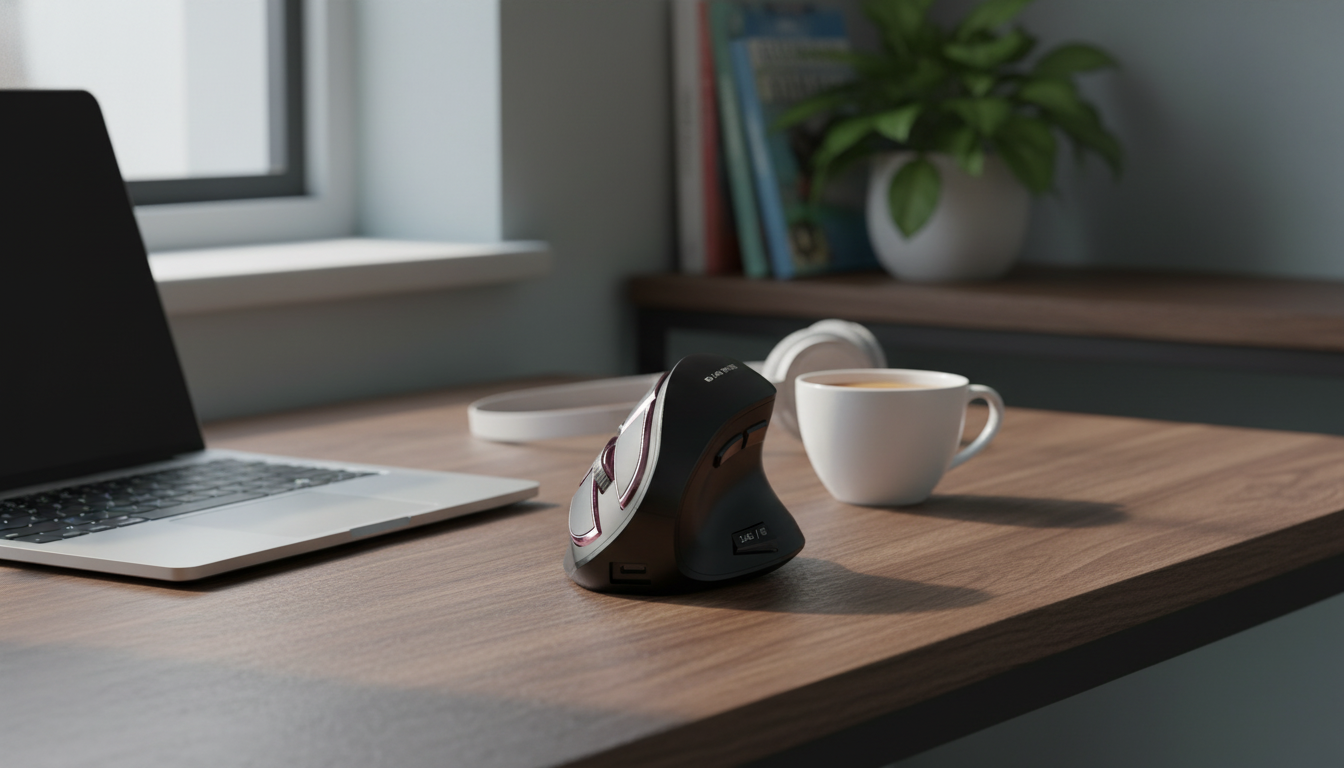
Vertical Ergonomic Wireless Mouse (Rechargeable Bluetooth) for Apple Mac & PC
A vertical ergonomic mouse is designed to support a more natural hand position than a traditional flat mouse, which can help reduce wrist strain during long work sessions. This rechargeable Bluetooth model is built for easy switching between Apple Mac and Windows PC setups, making it a practical choice for home offices, shared desks, and multi-device workflows.
What Makes a Vertical Mouse Feel Different
The biggest change with a vertical ergonomic mouse is the angle. Instead of placing the palm flat on the desk, your hand rests in a more “handshake-style” posture that many users find easier on the wrist during long days of clicking, scrolling, and dragging.
- Angled “handshake” posture encourages less wrist pronation compared with a flat mouse.
- A taller body can shift effort from the wrist to the larger muscles of the forearm and shoulder during movement.
- Best results come from pairing the mouse with good desk height, relaxed shoulders, and a neutral wrist (not bent up or down).
- Expect a short adjustment period if switching from a standard mouse; light tasks first can help build comfort.
For broader workstation setup guidance, the NIOSH Ergonomic Guidelines for Computer Workstations is a helpful reference for dialing in chair height, keyboard position, and monitor placement.
Bluetooth + Wireless Use Across Mac and PC
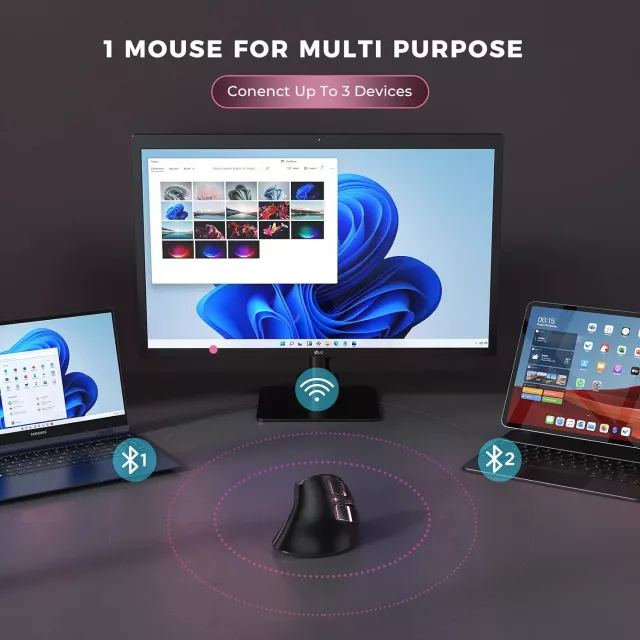
Bluetooth is a clean way to keep a desk uncluttered—especially on laptops with limited ports. A Bluetooth mouse can also make it simpler to share one pointing device across multiple machines in the same workspace.
- Bluetooth connectivity helps reduce desk clutter and avoids occupying a USB port when used without a dongle.
- Useful for switching between a MacBook, iMac, and a Windows PC in the same workspace.
- Pointer speed and scrolling feel can be tuned in macOS (System Settings) and Windows (Settings/Control Panel).
- For best stability, keep the mouse within typical Bluetooth range and minimize obstacles between the mouse and computer.
If you need a refresher on pairing, Apple’s steps for setup are straightforward: Connect a Bluetooth device with your Mac. On Windows, it’s also worth reviewing sensitivity and scrolling preferences to match your old mouse feel: Change mouse settings.
Rechargeable Convenience for Daily Work
Rechargeable mice are built for routine, not rummaging for spare batteries. For many desks, charging is easiest when it becomes part of a predictable rhythm—top up during lunch, between classes, or overnight.
- Rechargeable power avoids frequent battery swaps and can be easier to manage for everyday productivity.
- A quick top-up routine (for example, charging during breaks or overnight) helps prevent mid-meeting power issues.
- If charging while working, route the cable to avoid drag that can affect cursor control.
- Power-saving habits—turning the mouse off when traveling or storing—can extend time between charges.
One small but meaningful tip: if the cursor feels “off” while charging, check cable slack and where it rubs the desk edge. Less friction usually translates to steadier tracking.
Key Specs at a Glance
When comparing a vertical ergonomic Bluetooth mouse, it helps to focus on everyday realities: how stable it feels under the hand, how well it reconnects, and whether the shape matches your grip.
Confirm fit for hand size and grip style (palm vs. claw) before committing to long sessions—especially if you routinely do precision work like spreadsheets, design edits, or detailed selection tasks.
Quick comparison checklist for a vertical ergonomic Bluetooth mouse
| Feature | Why it matters | What to look for |
|---|---|---|
| Vertical ergonomic shape | Helps keep wrist in a more neutral position | Comfortable angle, stable base, easy thumb rest access |
| Bluetooth wireless | Works across many laptops/desktops without extra ports | Reliable pairing, stable connection, easy reconnect |
| Rechargeable battery | Less waste and fewer battery purchases | Convenient charging method and practical runtime for workdays |
| Mac + Windows compatibility | Supports mixed-device workflows | Smooth pointer tracking and configurable cursor speed on both OSes |
| Buttons + scroll wheel | Affects navigation speed and comfort | Responsive clicks, consistent scrolling, useful side buttons if included |
Comfort Setup Tips for Long Sessions
A more ergonomic mouse works best when the rest of the setup supports it. If the desk is too high or the mouse is too far away, the shoulder and wrist can still end up doing extra work.
- Set chair height so elbows rest near a 90–110° bend; keep shoulders relaxed rather than lifted.
- Keep the mouse close to the keyboard to reduce reaching; consider a compact keyboard if space is tight.
- Aim for a neutral wrist: avoid bending the wrist upward; move the mouse with the forearm for larger motions.
- If wrist or forearm discomfort persists, reduce continuous mousing time, add micro-breaks, and reassess desk ergonomics.
Who This Mouse Fits Best
Product Option Available Now
Vertical Ergonomic Wireless Mouse Rechargeable Bluetooth for Apple Mac & PC is currently available and suited for everyday productivity, browsing, and office tasks. Price is listed at $30.51 (USD), and it is in stock.
More in-stock picks
- Men’s Genuine Leather Cowboy Belt with Copper Buckle for Jeans (in stock)
- Large Dog Slicker Brush & Comb Set for Doodles, Poodles and Long Coats (in stock)
- Twin Size Upholstered Bed with LED Lights and Crown Headboard (in stock)
FAQ
Does a vertical mouse work with both Mac and Windows?
Yes, as long as each computer supports Bluetooth pairing. After connecting, adjust pointer speed and scrolling in macOS and Windows settings so the movement feels consistent across devices.
Is there a learning curve when switching to a vertical ergonomic mouse?
A brief adjustment period is common. Start with lighter tasks, keep the mouse close to the keyboard, and focus on moving from the forearm instead of bending at the wrist.
Can a rechargeable mouse be used while charging?
Many rechargeable mice can be used while plugged in. If you work while charging, route the cable to minimize drag so cursor movement stays smooth.















Leave a comment