20V Cordless Drill/Driver Kit: Battery + Charger Included
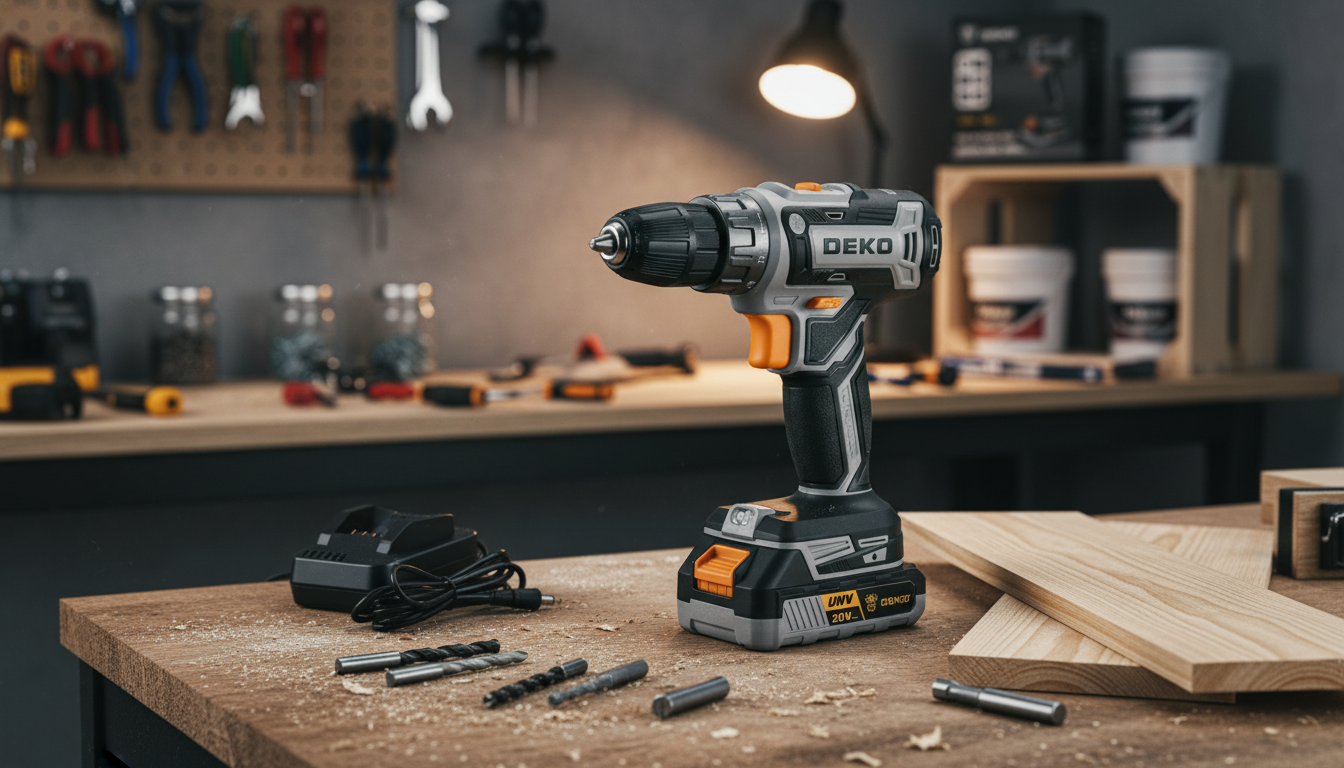
20V Cordless Drill Driver Kit with Battery and Charger
A cordless drill driver kit is a practical staple for quick repairs, furniture assembly, and light DIY projects. This 20V kit includes the essentials—tool, battery, and charger—so it’s ready for everyday drilling and fastening tasks around the home. If the goal is to keep a simple, grab-and-go tool on hand for weekend fixes, a compact drill/driver like this can cover a surprisingly wide range of common jobs.
What This Kit Is Best For
- Furniture assembly: driving screws consistently without stripping heads
- Home repairs: tightening hinges, installing curtain rods, hanging shelves (with the right anchors)
- Light drilling: pilot holes in wood and thin materials before fastening
- Small projects: planters, storage builds, and simple framing with appropriate bits and screws
- Tight spaces: cordless convenience reduces cord management and improves mobility
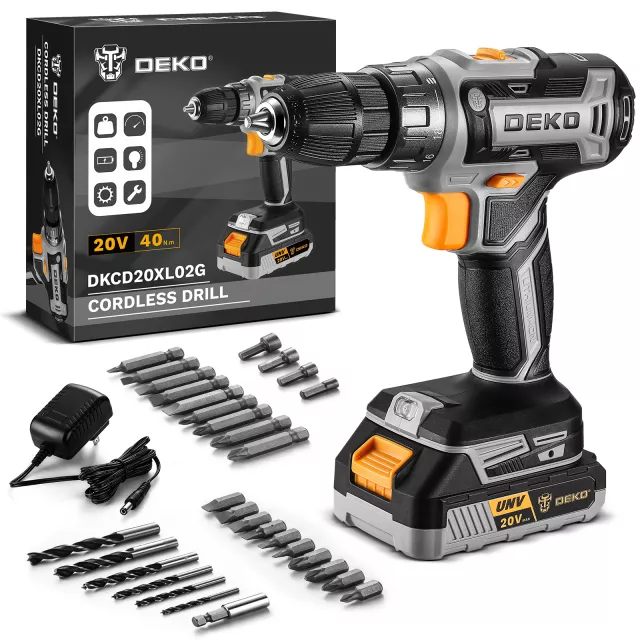
What’s Included in the Box
- 20V cordless drill driver (primary tool for drilling and screwdriving)
- Rechargeable battery (portable power source)
- Battery charger (for recharging between tasks)
- Tip: keep a small set of driver bits and common drill bits on hand to cover most household jobs
Core Features to Look For in Everyday Use
Even for basic home use, a few features make the difference between a smooth project and a frustrating one:
- Clutch settings: helps prevent overdriving screws into soft wood or drywall. Using the clutch well also reduces the chance of stripping screw heads.
- Forward/reverse control: for driving fasteners and backing them out cleanly when alignment is off.
- Variable speed trigger: improves control for delicate starts, especially on small screws or when beginning a hole without walking the bit.
- Comfort and grip: reduces fatigue during longer assembly tasks, like flat-pack furniture or multiple cabinet pulls.
- Battery convenience: having a compatible charger and a simple routine for topping off the battery helps keep the tool ready instead of “almost charged.”
Practical Setup: Getting Good Results Fast
A few quick habits can improve results right away, especially if a drill/driver hasn’t been used much before.
- Charge the battery fully before first use; after heavy use, let the battery cool down before charging to help it recover efficiently.
- Match the bit to the job: drill a pilot hole for hardwoods, larger screws, or near board edges to reduce splitting and make driving smoother.
- Use the clutch: start low for screws, then increase only if the screw stops short. This is one of the easiest ways to protect soft materials and avoid snapped fasteners.
- Stay aligned: keep the bit straight and apply steady pressure to reduce cam-out (when the bit slips) and stripped heads.
- For drilling: start slow to center the hole, then increase speed after the bit is stable for a cleaner, more controlled cut.
Quick Guide: Common Tasks and Suggested Settings
Settings vary by material and fastener, so it’s smart to test on scrap whenever possible. In general, a lower clutch plus slower speed improves control for driving, while a higher speed suits clean drilling once the bit is stable.
| Task | Bit Type | Starter Speed | Clutch/Mode Tip |
|---|---|---|---|
| Assemble flat-pack furniture | Phillips/Pozi driver bit | Low | Use a low-to-mid clutch to avoid stripping |
| Install cabinet handles | Driver bit + small pilot drill bit | Low | Pilot hole first; stop as soon as hardware is snug |
| Hang a shelf on drywall | Driver bit (anchors) / drill bit (pilot) | Low to medium | Use appropriate anchors; avoid overdriving and crushing drywall |
| Drill pilot holes in wood | Twist drill bit | Medium | Drill mode; start slow, then increase speed |
| Drive wood screws into softwood | Driver bit | Low to medium | Use clutch; increase only if screw stalls |
Battery Care and Charging Habits That Help
- Avoid storing fully depleted for long periods; recharging after use helps keep the battery ready.
- Keep contacts clean and dry; store the kit in a cool, dry place to reduce corrosion and heat stress.
- Let it cool before charging if the battery feels hot after heavy drilling or repeated screwdriving.
- Take short breaks during longer sessions to reduce heat build-up in both the tool and the battery.
Safety Notes for Power Tool Use
Even for basic household tasks, a few precautions can prevent most common mishaps. For general safety guidance, see OSHA’s hand and power tools resources, and for eye protection basics, reference NIOSH eye safety information.
Product Details and Purchase Option
- Product: 20V Cordless Drill Driver Kit with Battery and Charger
- Availability: In stock
- Price: $24.51 (USD)
- Best for: everyday household drilling and fastening tasks
More In-Stock Finds
- Men’s Genuine Leather Cowboy Belt with Copper Buckle for Jeans
- Large Dog Slicker Brush & Comb Set for Doodles, Poodles and Long Coats
- Twin Size Upholstered Bed with LED Lights and Crown Headboard
FAQ
Can this drill driver handle both drilling holes and driving screws?
Yes—use a drill bit for making holes and a driver bit for screws. For screwdriving, set a lower clutch to prevent overdriving; for drilling, start slowly to keep the bit centered, then increase speed once the hole begins cleanly.
How long should the battery last on a charge?
Runtime depends on the battery capacity and what you’re doing: driving screws typically lasts longer than drilling larger holes in harder material. Keeping the battery topped off and taking short breaks during heavy use can help manage heat and maintain performance.
What’s the best way to avoid stripping screws?
Use the correct bit type and size, keep the bit aligned with firm pressure, and drive at a slower speed with a lower clutch setting. Stop as soon as the screw is snug, and consider pilot holes for dense wood or larger fasteners.















Leave a comment